The complete application is free

Write and publish for free.

From novels and poetry to research, guides and illustrated documents, write, organise, design, preview, back up and export without paying. QuireCraft is not a trial. An optional subscription adds multi-device sync and community participation.

The writing application stays free. No time limit and no export paywall.

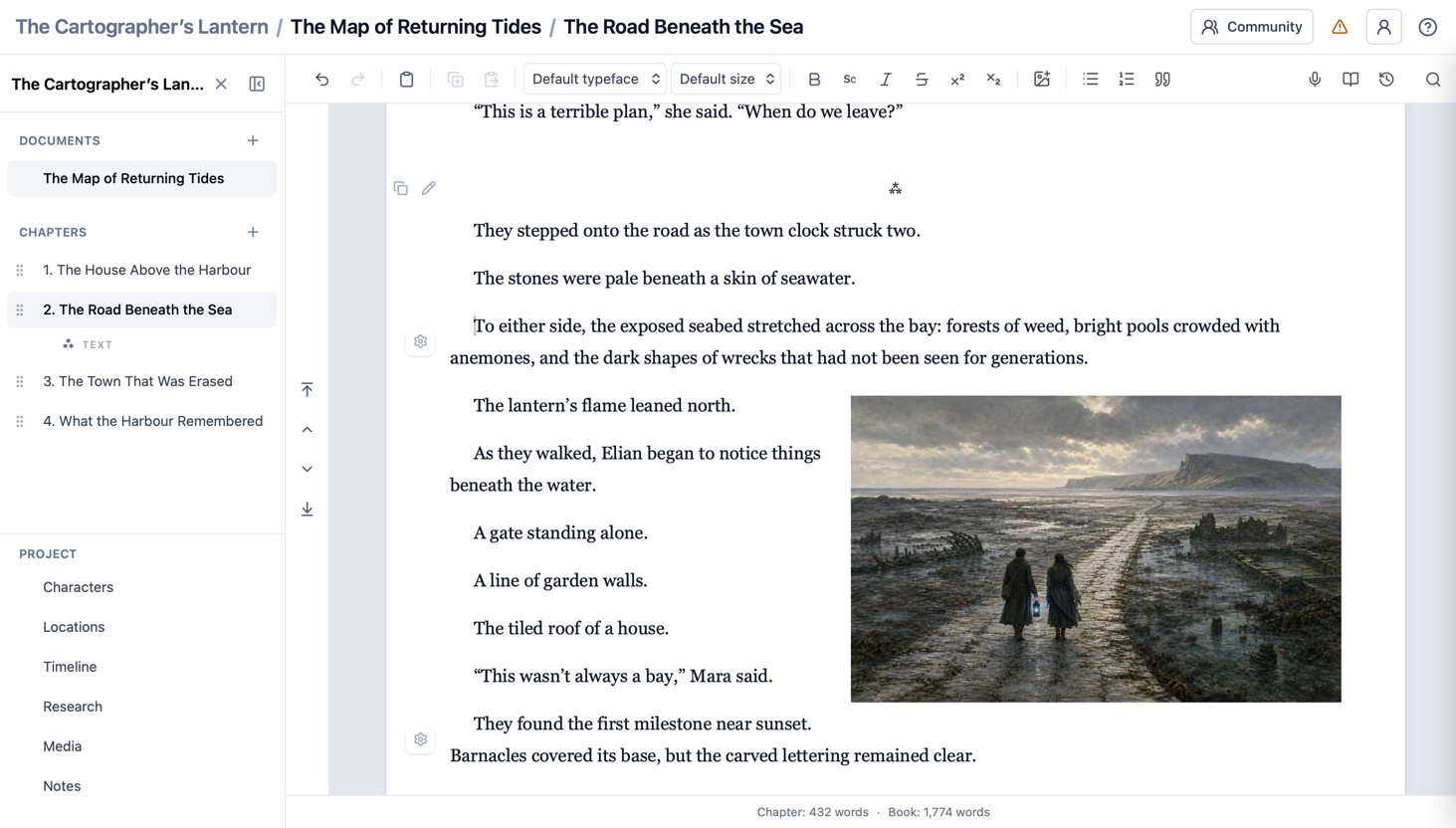
QuireCraft showing The Map of Returning Tides, with its chapters, writing editor and an illustration inside the manuscript

Free to write. Build everything from a short work to a complex publication.

Free to design. Shape pages, covers and typography.

Free to publish. Preview and use every export format.

Everything around the writing

The complete writing application.

QuireCraft keeps the work of writing close at hand without turning the page into a control panel.

01

Draft with room to think

Write in a focused editor while keeping the tools a substantial work needs close by. Format text, place images and equations, mark scene breaks, adjust individual chapters and return to an earlier version without breaking the flow of the draft.

02

See the whole project

Shape substantial work with projects, documents, chapters and sections. Move between the detail and the whole manuscript without losing your place or forcing every kind of writing into the same structure.

03

Keep the world consistent

Build a dependable reference for the work as it grows. Characters, locations, timelines, research, notes and media remain alongside the writing they support, making details easier to find and inconsistencies easier to catch.

04

Design the publication

Turn the manuscript into a considered publication without moving it into a separate design tool. Control typography, chapter openings, paragraphs, headers, footers, contents and covers, then use the live preview to judge the pages as a reader will see them.

05

Finish in the format you need

Prepare the same body of work for the form it needs to take. Produce a print-ready PDF, arrange pages for a folded booklet or create an ebook, with previews and export choices that help you check the result before it leaves your hands.

The work and the page

Design with confidence.

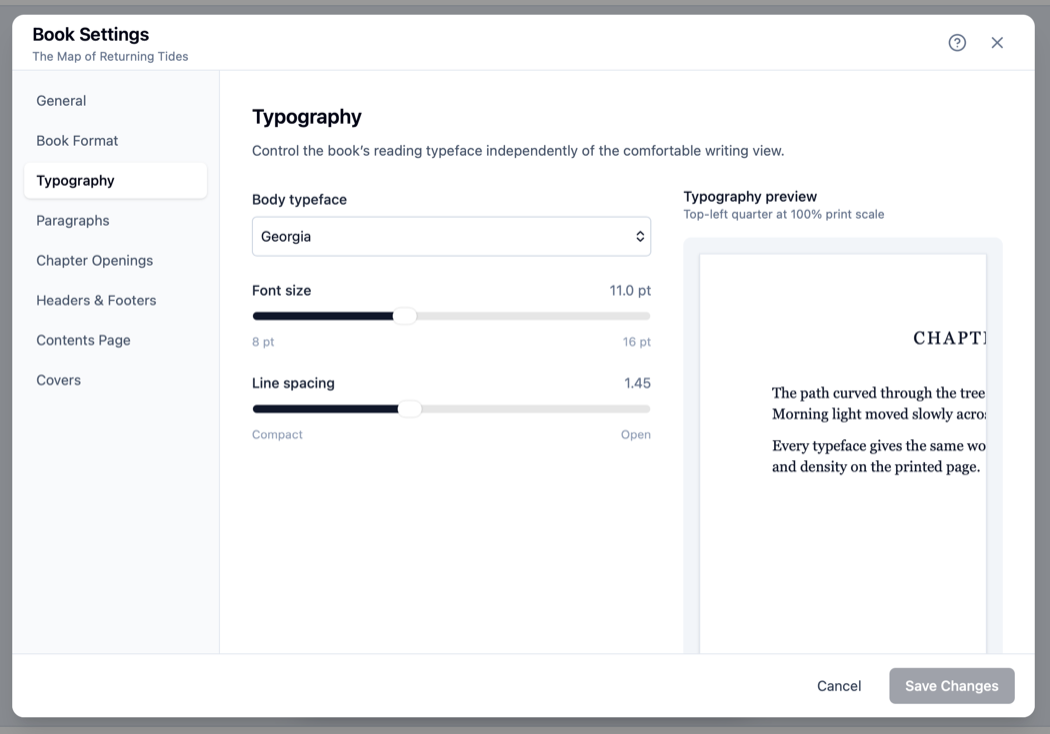
Writing and presentation belong together. Change the typography, spacing and structure, then see how those decisions shape the page.

QuireCraft Book Settings open on Typography, showing typeface and spacing controls alongside the page preview

One continuous practice

From first note to finished publication.

  1. 1Gather

    Capture the people, places, research and ideas surrounding the work.

  2. 2Write

    Develop anything from a short piece to a structured long-form work without losing focus.

  3. 3Shape

    Reorder the structure, revisit history and refine how the story moves.

  4. 4Publish

    Design, preview and export without moving the work to another application.

A promise that matters

Your writing remains yours.

QuireCraft saves locally, gives you independent backup and restore, and never requires a subscription to open or export your work.

Local by default

Keep writing on the current device, including when the internet is unavailable.

Backups you control

Save a portable backup independently of QuireCraft’s online services.

No export lock-in

Every export format remains part of the free application.

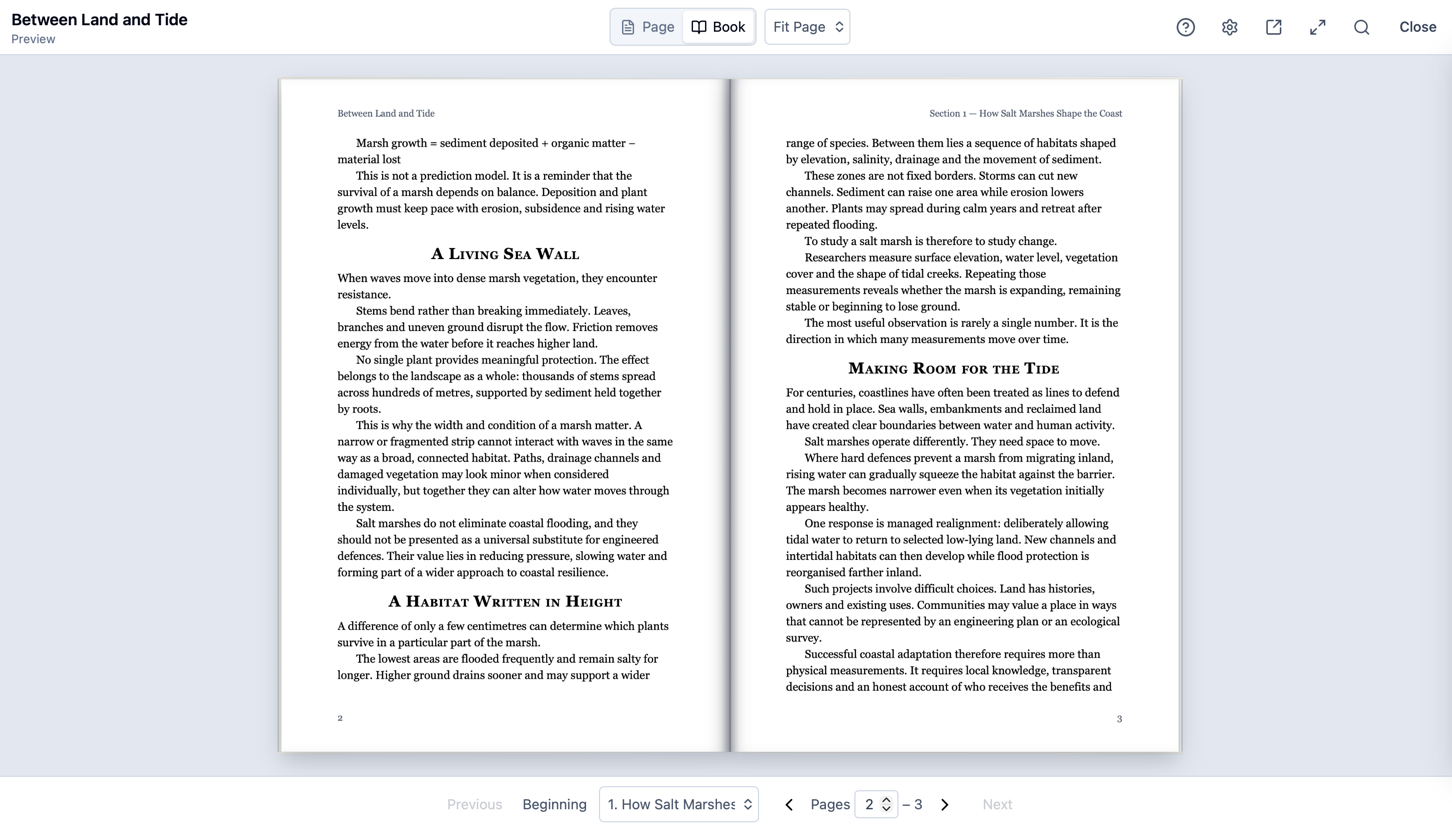
QuireCraft previewing a two-page research publication titled Between Land and Tide

Ready to share

Finish in a form that suits the work.

Preview the result, refine the details and export a polished PDF, booklet or ebook—all from the same project in which you wrote it.

Publishing in practice

Make the next decision with confidence.

Independent guidance for preparing, designing and printing written work—useful whether or not you choose QuireCraft.

Book formatting

Format a book for print

Choose page dimensions, build useful margins and typography, and proof the complete publication.

Browse all publishing guides

A subscriber benefit

Invite a trusted reader into the work—not the whole workspace.

Share a private, read-only copy of a complete document, one chapter or a single paragraph. Your reviewer does not need a QuireCraft account, and they never see your planning notes, project library or other manuscripts.

  1. 01
    Choose what to share

    Send only the document, chapter or paragraph that needs another pair of eyes.

  2. 02
    Keep access private

    A time-limited link and separate review code protect the fixed copy.

  3. 03
    Work through feedback

    Discuss comments privately, turn them into author tasks and close the loop when the work is resolved.

Sharing for Feedback is included with both monthly and annual subscriptions.

Choose only what you need

The application is free. Subscribe for more ways to connect.

Pay nothing to write and publish. Subscribe only when you want your projects across devices and a closer role in QuireCraft’s development.

Free application

£0forever

Everything needed to write and publish

  • Write and organise complete projects
  • Design pages, covers and typography
  • Preview, back up and restore your work
  • Use every export format
  • Keep working without an internet connection

No trial, payment card or subscription required.

Create a free account

Optional subscription

Add connected services

Monthly £5.99 per month
  • Sync projects between multiple devices
  • Share writing privately for reader feedback
  • Create and vote on feature requests
  • Join community feature discussions
  • Early access to selected new features
  • Support QuireCraft’s continuing development

Both billing choices provide the same benefits. Cancel at any time.

Built in conversation

Help shape what QuireCraft becomes.

Everyone can browse requests and follow their progress. Subscribers can propose features, vote and take part in the discussion. Popularity is guidance—not a promise that quieter ideas will be ignored.

Problem reporting is open to everyone, because getting help should never depend on a subscription.

The blank page is waiting

Start writing with QuireCraft.

Create a free account and open the complete application in your browser. No subscription or card required.

Start writing free

Cancellation policy

Clear terms for ending a QuireCraft subscription.

Cancel at any time

Cancel through your QuireCraft account in the browser. Cancellation stops the next automatic payment, and subscription benefits remain available until the end of the period you have already paid for.

Your first 14 days

You may request a full refund during the first 14 days after subscribing. If a refund is issued, subscription benefits end when the refund is processed.

Renewals

Annual renewals have a further 14-day cancellation period in which you may request a refund. Monthly renewal payments are normally non-refundable once the new billing period has begun, except where required by law or where QuireCraft agrees that a refund is appropriate.

Your writing remains yours

Cancelling does not remove projects stored on your devices. All free writing, editing, backup and export features remain available. Multi-device syncing stops when the paid period ends.

Cloud data after cancellation

Existing cloud data is retained for 90 days after subscription benefits end, allowing time to resubscribe or recover your work. QuireCraft will warn you before eligible cloud data is removed.

Confirmation email

QuireCraft shows the date your subscription benefits will end and sends a confirmation email when cancellation is scheduled. You may resume the subscription before that date without losing access.